Would you like to setup your own Webserver, available to the world right from your Home or Office?
Thinking about setting up your own Webserver? Have you priced Microsoft 2003 Server Software lately? Well I have good news for you - having setup and used both - a Windows XP Professional computer makes for a very good Webserver and Microsoft does not require you to purchase licenses for website visitors and logon accounts!
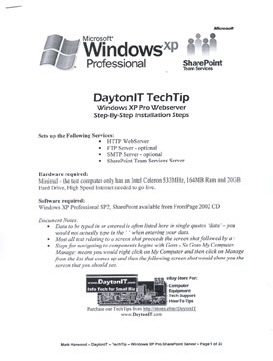
Requiring no more then an entry level Windows XP Pro capable computer, a copy of Windows XP Pro and a High Speed Internet connection - this TechTip will walk you thru the setup of YOUR OWN WEB SERVER complete with steps for installation of the FREE Microsoft SharePoint Team Services 2001 software.
You probably Own Everything you need to Get Started and may Not Need Anymore Internet Services then you currently have!
-
Use it to Host a Traditional WebSite - it's a wide open Microsoft Web Server with FrontPage Extensions and Database Functions Enabled!-
Use it for eBay Photo Self Hosting - utilize Full Feature Web Pages like this for your eBay listings - or use it for MySpace Photo Hosting-
Use it as a Fully Interactive Microsoft SharePoint WebServer - Sell Private, Secure SharePoint Hosting Services for $20-$50 per month!
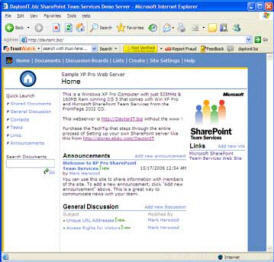
SharePoint provides complete interaction for the web site browser to add, change and contribute to the content. Predefined elements include: Announcements, Tasks, Discussions, Events and Shared Documents. Users can connect anonymously without a logon required or logon accounts can be setup for different users within any of the hundreds of possible subwebs.
By creating different 'subwebs' for different customers you can SELL SHAREPOINT HOSTING services to customers where only they would have access to their SharePoint Site. Clubs, Organizations, Churches, Families, and Small Businesses would all be prospects for this service and the going rate is currently running at about $20-$50 per month. They provide all their own content while you get paid for Hosting the SharePoint site for them!
See the Microsoft SharePoint Team Services
Demo/Tutorial at:
"http:// www.
microsoft.com/sharepoint/teamservices/evaluation/demo/demo/SPenter . html"
(type url without quotes and spaces)
 We have setup a
Demo Windows XP Pro Sharepoint Webserver for you to Evaluate
We have setup a
Demo Windows XP Pro Sharepoint Webserver for you to Evaluate
Goto the web address 'url' listed below to see an actual Windows XP Pro WebServer setup using the steps provided in this Digital Download Document being sold.
See how fast this OLD 533MHz Demo Computer with just 160mb of Ram will send you the web pages and hi-resolution pictures.
"http: // daytonit . biz"
(type url
without www, quotes and spaces)
Note: To use an existing domain name and to fit this
webserver into our network we had to set it up on a different non-standard 'port' so as a result you may not be able to get to it thru some
firewalls or proxy servers.
We show how to Register a Domain Name and let visitors find your new WebServer
Setup using your DSL Modem and Cable Modem services are discussed and how to over come the problem that they do not provide a 'dedicated ip address' for you and your new webserver.
Setting your new webserver behind a Linksys Router is also explained.
This TechTip - Digital PDF Download spans thirty some pages covering the step-by-step process:
The setup steps could be done on an existing Windows XP Pro computer, but it is highly recommend that you start fresh on an old computer and erase the hard drive then load Windows XP from scratch for optimum performance, reliability and security.
Many, many screen shots are included for every step to ensure your success. Written for the advanced computer user wanting to setup their own Webserver for selling SharePoint Hosting Services, gaining full control and eliminating hosting service charges or problems.
This DaytonIT TechTip may only be purchased thru our eBay Store http://stores.ebay.com/DaytonIT and will be delivered using the eBay "Digital Delivery" service as an Adobe PDF document.
DaytonIT Computer How-To TechTips
Following are some Feedback Comments from other eBay Buyers: